How to review and organize notes with Wren
Keep the page as the source of truth
You do not need to turn every handwritten note into a new document before you can review it.
The page already tells the story of the class: what you heard first, where the example changed your understanding, and what you wrote down when something finally made sense. The goal of organization is to make that page easier to return to.
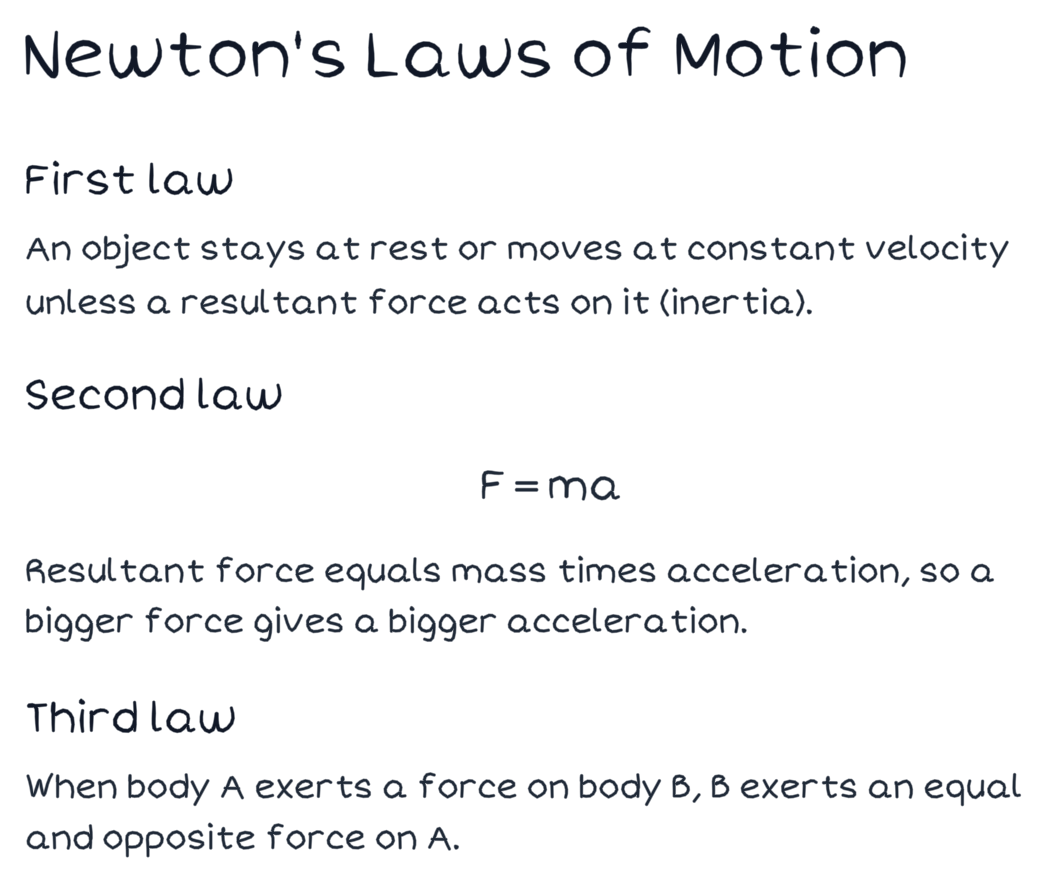
Figure 1. A verified PencilKit study-page fixture. A study page can hold your notes, formulas, and the next review question together.
Step 1: Find the one page worth returning to
Start with a page that has a real job.
It might explain a topic that will appear on a quiz. It might contain the formula you keep mixing up. It might be the page where a lecture finally connected to the reading.
Do not organize the whole notebook at once. Pick the page you would want to find the night before an exam.
Step 2: Add a short review layer
Look for the parts of the page that need a second pass.
- A formula you can use but cannot explain.
- A term that needs a definition in your own words.
- A process with one step you always skip.
- A paragraph that matters but has no clear question attached to it.
Add a small structure beside that spot. A checklist can turn a long process into three things to verify. A short definition can keep a term close to the example where it appeared. A summary can remind you why the page matters.
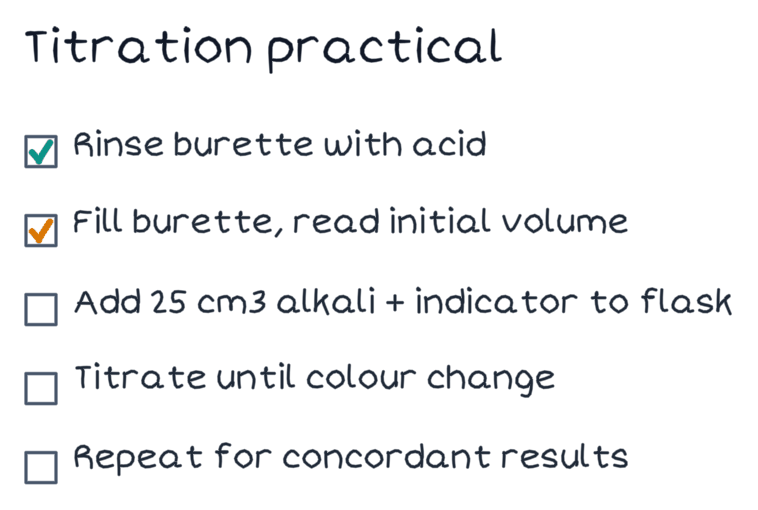
Figure 2. A verified PencilKit checklist fixture. The checklist is small on purpose: it creates a repeatable review action without replacing the page.
Step 3: Separate “know it” from “need to practice”
A note page should not pretend every line deserves equal attention.
Use a simple mark for the material you can explain without help. Then make one short checklist for what you need to practice. The checklist might ask you to solve one problem, redraw one diagram, or explain one step without looking.
This is more useful than making a longer summary. It gives your next review session a beginning.
Step 4: Review drafts before they become part of the page
When Wren offers something to add, read it in context.
Does it answer the question you marked? Does it make the next review easier? If not, discard it. Organization is not about collecting every available note. It is about preserving a page you can actually use again.
Step 5: Link the page to the next study action
Finish with one action that uses the page.
- Solve a related problem without looking at the formula.
- Explain the process from the checklist.
- Use the canvas to map the connection between this page and the next topic.
- Ask a question about the one branch you still cannot explain.
The page stays useful because it points to a next step, not because it looks complete.
A weekly review routine
- Choose one page from the week that matters.
- Mark the idea you can explain.
- Add a small review structure beside the gap.
- Practice the gap once without looking.
- Keep the page easy to find for the next review.
Common questions
Should I make a checklist for every note?
No. Use a checklist when a page has a process, a practical task, or a few things you need to verify repeatedly. A page with one clear idea may only need a short question in the margin.
Does organization mean making the notes look perfect?
No. The goal is a page you can return to and understand. Keep your original writing, then add only what makes the next review clearer.
What should I try next?
Use AI ink on handwritten notes when the page needs one visual explanation. Use Wren's canvas when the relationship between several pages is the thing you need to study.