How Wren adds AI ink to handwritten notes
Start with what you wrote
The useful part of Wren is not a blank prompt. It begins with the page you already have.
Maybe you have written a quadratic equation but cannot see its shape yet. Maybe a biology process needs a diagram beside the paragraph you just finished. Maybe you can explain a concept in words but need one clean visual before you move on.
Write the part you understand first. That gives the page a direction. Then let Wren add the missing piece in the same space instead of sending you away to a separate chat window.
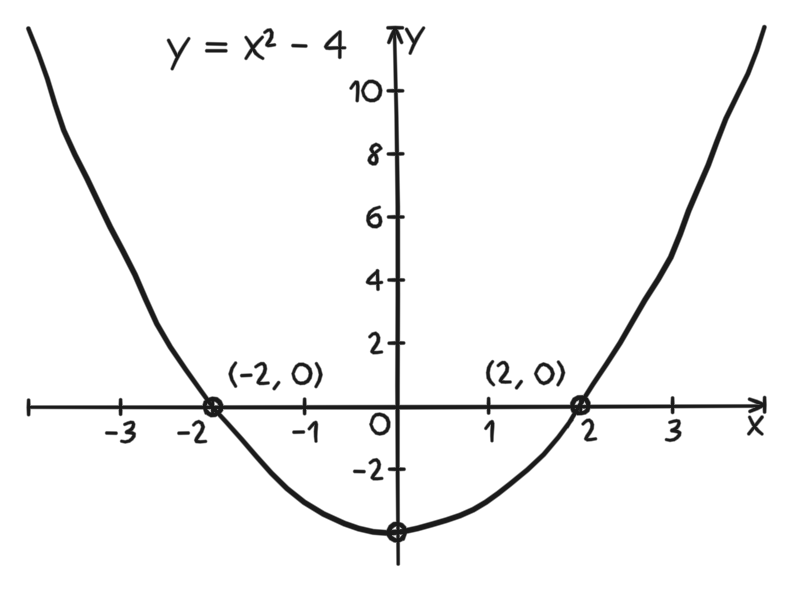
Figure 1. A verified PencilKit graph fixture. It shows a handwritten parabola and labeled roots, the kind of visual that can sit beside equation work.
Step 1: Put the question on the page
Do not ask for a whole chapter summary when what you need is one next step. Put down the equation, label the axes, write the definition, or sketch the incomplete process.
A specific page gives you a specific review moment. Instead of asking for more information in the abstract, you can ask what belongs here: a graph, a formula, a sequence, or a short explanation.
That keeps the note yours. Your handwriting still explains how you were thinking. Wren only adds context where the page needs it.
Step 2: Ask for the missing visual
Choose a request that fits the work in front of you.
- A graph can make the behavior of an equation visible.
- A flowchart can turn a process into a sequence you can follow.
- A formula can sit next to the example where you will use it.
- A short explanation can clarify a term without replacing your own notes.
The goal is not to cover every empty area. The goal is to make the next review of this page easier.
Step 3: Review the draft where it appears
A draft is useful only if it helps the note you already wrote. Read it as part of the page.
Check the labels. Check whether the visual answers the question you had when you wrote the note. If it does not, leave it out. A clean page is better than a crowded page that does not help you study.
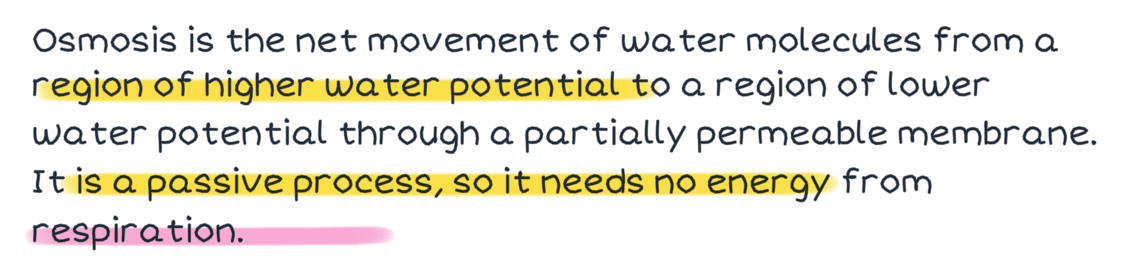
Figure 2. A verified PencilKit highlight fixture. Review happens on the page, close to the work you are deciding whether to keep.
Step 4: Keep the page readable
When you keep a useful addition, leave room for your own next note. The best AI ink does not turn the page into a poster. It gives you one more connection to return to when you review.
For a math page, that may be the graph next to the equation. For a science page, it may be a small diagram next to the process. For a reading note, it may be a definition beside the sentence that made it matter.
A simple first-page routine
- Write the problem or concept in your own words.
- Mark the exact point where you need help seeing it.
- Add one visual or explanation.
- Review it before keeping it.
- Write the next thing you understand underneath it.
This is how Wren stays a note system instead of becoming a second place where your work disappears.
Common questions
Do I need to make my handwriting neat first?
No. Start with the note you would normally make. The point is to keep working from your page, not to prepare a perfect prompt.
Is this only for graphs?
No. The same approach works when a page needs a diagram, formula, flowchart, checklist, or short explanation. Choose the addition that makes the next review clearer.
What should I try next?
Use Wren's canvas for connected thinking when one page needs a larger visual map. Then use the review-and-organization guide to turn the page into something you can return to before an exam.