Cornell Notes: How to Take Them, With an Example and Free Template
Cornell notes turn a page of class notes into a ready-made self-test. You split the page into three parts: a wide column for notes, a narrow column for questions, and a box at the bottom for a summary. During class you only write notes. Afterwards you add a question beside each chunk, so that when you study you can cover the notes and quiz yourself.
This guide covers the layout, the steps, a filled-in example from a real biology topic, a math version, and a free printable Cornell notes template in Letter and A4. If the template is all you need, download it now: Letter PDF or A4 PDF, or jump to the template section.
What are Cornell notes?
Cornell notes are a note-taking system developed in the 1950s by Walter Pauk, an education professor at Cornell University, and described in his book How to Study in College. Cornell's Learning Strategies Center still teaches it to students today.
Every page has the same three parts:
- Notes column (right, about two thirds of the width). What you write during class: main ideas in short phrases, definitions, examples and diagrams.
- Cue column (left, about 2.5 inches or 6 cm). What you write right after class: a question or key word for each chunk of notes. These cues are your self-test later.
- Summary (bottom, about 2 inches or 5 cm). What you write after class: the whole page in 2 to 4 sentences, in your own words.
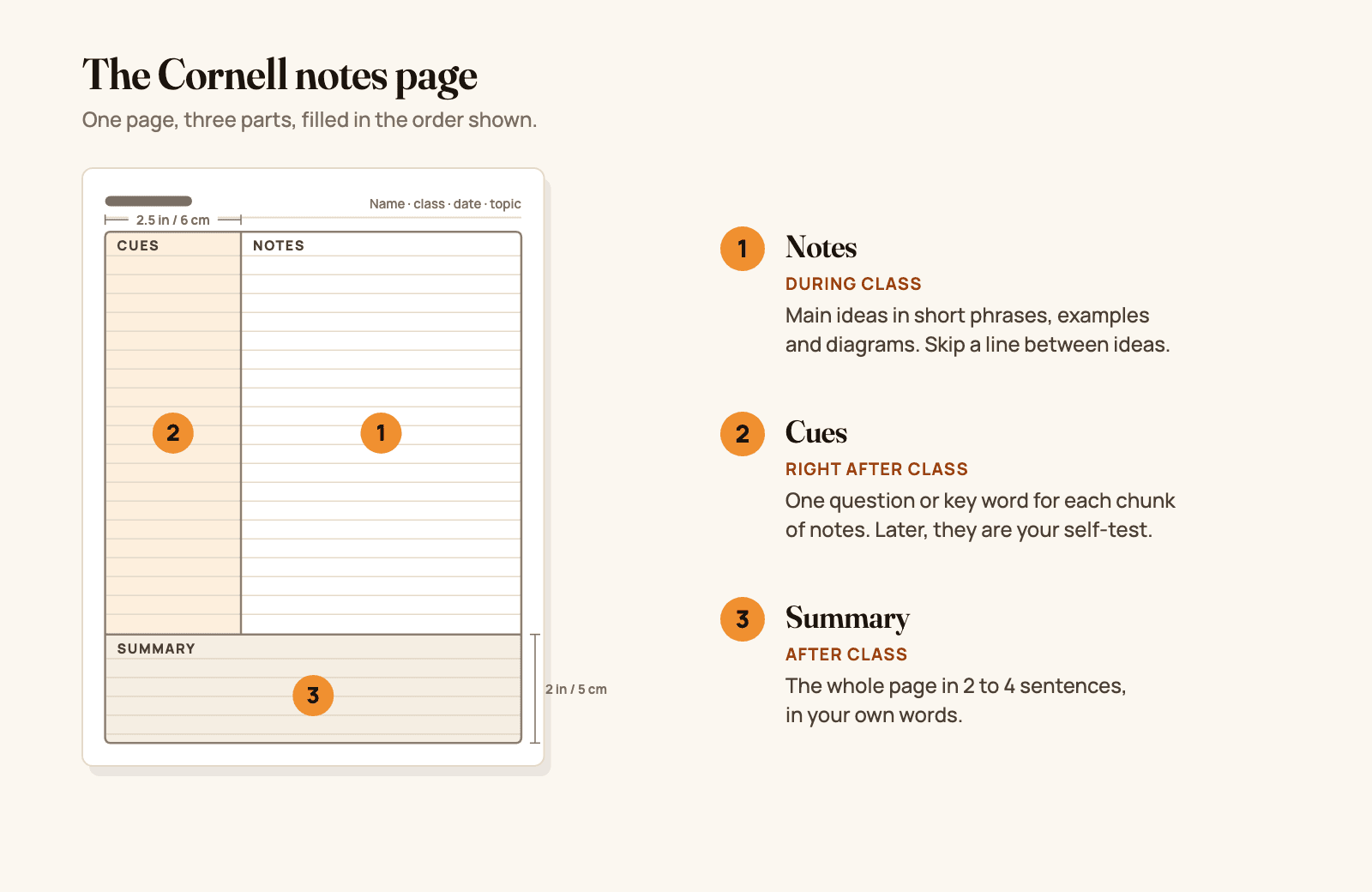
Figure 1. The Cornell notes page: notes on the right during class, cues on the left right after class, and a summary at the bottom. Original diagram.
The point of the layout is that the questions and the answers sit side by side but can be separated. Cover the right column and the left column becomes a quiz. That is the difference between Cornell notes and an ordinary page of notes you only reread.
The Cornell notes format at a glance
| Part | Where and how big | When you fill it in | What goes in it |
|---|---|---|---|
| Header | Top line | Before class | Class, date, topic or the question the lecture answers |
| Notes | Right column, the rest of the width | During class | Main ideas in short phrases, definitions, examples, formulas, diagrams. Skip a line between ideas. |
| Cues | Left column, about 2.5 in (6 cm) | Right after class | One question or key word per chunk of notes |
| Summary | Bottom, about 2 in (5 cm) | After class | The page in 2 to 4 sentences, in your own words |
The exact sizes do not matter much. What matters is that the cue column is narrow enough to force short questions and the summary box is small enough to force you to choose what matters.
How to take Cornell notes, step by step
Pauk's version has five steps, often called the 5 R's: Record, Reduce, Recite, Reflect and Review. Here they are as you would actually do them, with the summary added where most students write it.
1. Set up the page before class
Draw the two lines (or print the template) and fill in the class, date and topic. If the syllabus or slides tell you what the lecture is about, write that as a question at the top, for example "How do cells get energy from glucose?". It gives you something to listen for.
2. Record: take notes in the right column during class
Write only in the notes column. Use short phrases, not full sentences, and your own abbreviations. Leave a blank line whenever the topic shifts, so each chunk has room for a cue later. Copy diagrams and worked examples; they are often what the exam asks about. For what to write down in any format, and what to skip, see how to take notes.
3. Reduce: write cues in the left column right after class
As soon as you can after class, read each chunk of notes and write a question it answers in the cue column, next to it. Questions work better than key words because they make you retrieve the answer, not just recognize it. "Where is most ATP made?" is a better cue than "ATP".
4. Recite: cover the notes and answer your cues
Cover the notes column with a sheet of paper (or fold the page). Read each cue and answer it out loud or on scrap paper, in your own words. Then uncover the notes and check. Mark the cues you got wrong; those are what you study next time.
5. Reflect: write the summary
In the summary box, write what the whole page says in 2 to 4 sentences, without looking at the notes if you can. If you cannot summarize it, you have found what you do not understand yet. Reflecting also means asking how this page connects to the last lecture and to what you already know.
6. Review: quiz yourself again every week
Once a week, go back through your recent Cornell pages and answer the cues again with the notes covered. Cornell's Learning Strategies Center recommends a short review of all your notes every week so you retain them for the exam. Testing yourself like this is the part that does the work: in a well-known study, students who practiced recalling a text remembered much more of it a week later than students who reread it. Blurting uses the same effect on a whole topic: write everything you remember on a blank page, then check it against your notes. To fit these reviews into a plan for exam week, see how to study effectively.
Cornell notes example: a biology lecture
Here is a filled-in page for an introductory biology lecture on cellular respiration.
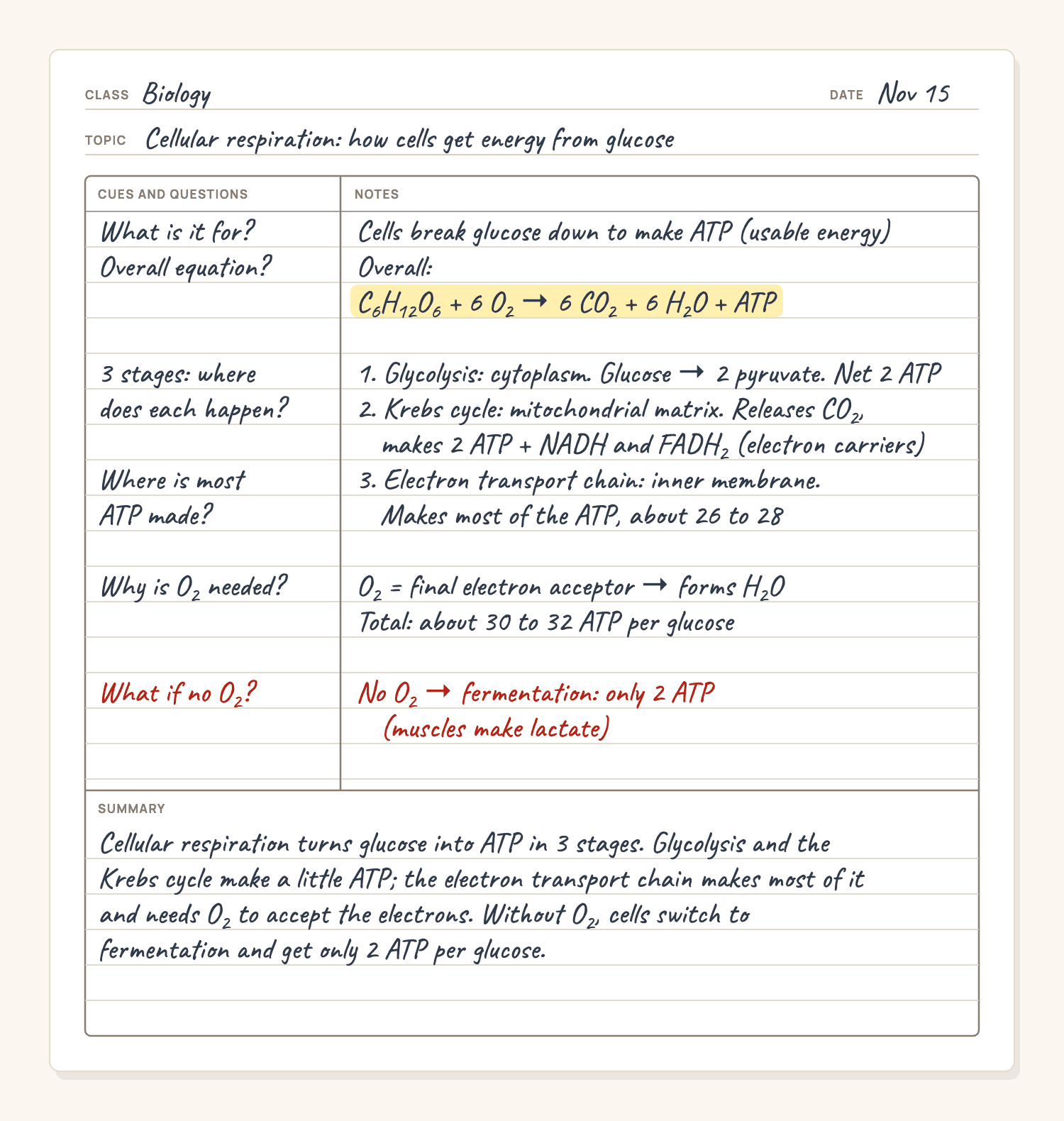
Figure 2. A filled-in Cornell notes page for a biology lecture on cellular respiration. Original illustration.
What makes this page work:
- Every cue is a question with one clear answer on the same line. "3 stages: where does each happen?" sits next to the three stages, so covering the notes turns the page into a quiz.
- The notes are short phrases, not sentences copied from the slides, with one highlight on the equation that the whole lecture hangs on.
- The exception is marked in red in both columns: what happens without oxygen. Exams love the exception.
- The summary is three sentences that would make sense to someone who missed class. If you can write that, you understood the lecture.
Cornell notes for math
Math notes are mostly worked examples, so the cue column works best for the kind of problem and when to use the method. The summary is the method in a sentence.
| Cue (left) | Notes (right) |
|---|---|
| Quadratic that won't factor: which formula? | x = (−b ± √(b² − 4ac)) / 2a |
| Worked example: 2x² + 3x − 4 = 0 | a = 2, b = 3, c = −4. b² − 4ac = 9 + 32 = 41. x = (−3 ± √41) / 4, so x ≈ 0.85 or x ≈ −2.35 |
| How many real solutions? | Look at b² − 4ac: positive, two; zero, one; negative, none |
| Common mistake? | Dividing only the √ part by 2a. The whole top is over 2a. |
Summary: when a quadratic does not factor, use the quadratic formula; b² − 4ac tells you how many real solutions to expect before you start.
To study, cover the right column and redo the worked example from the cue alone. If you get stuck, the step where you got stuck is the one to practice. For a full method for math class, see how to take math notes.
Free Cornell notes template (PDF and PNG)
Free to download, print and share, no sign-up. Each template is one page with the header (name, class, date, topic or question), a 2.5 inch (6 cm) cue column, college-ruled lines across both columns, and a 2 inch (5 cm) summary box.
- US Letter (8.5 × 11 in): Cornell notes template, PDF · PNG image
- A4 (210 × 297 mm): Cornell notes template, PDF · PNG image
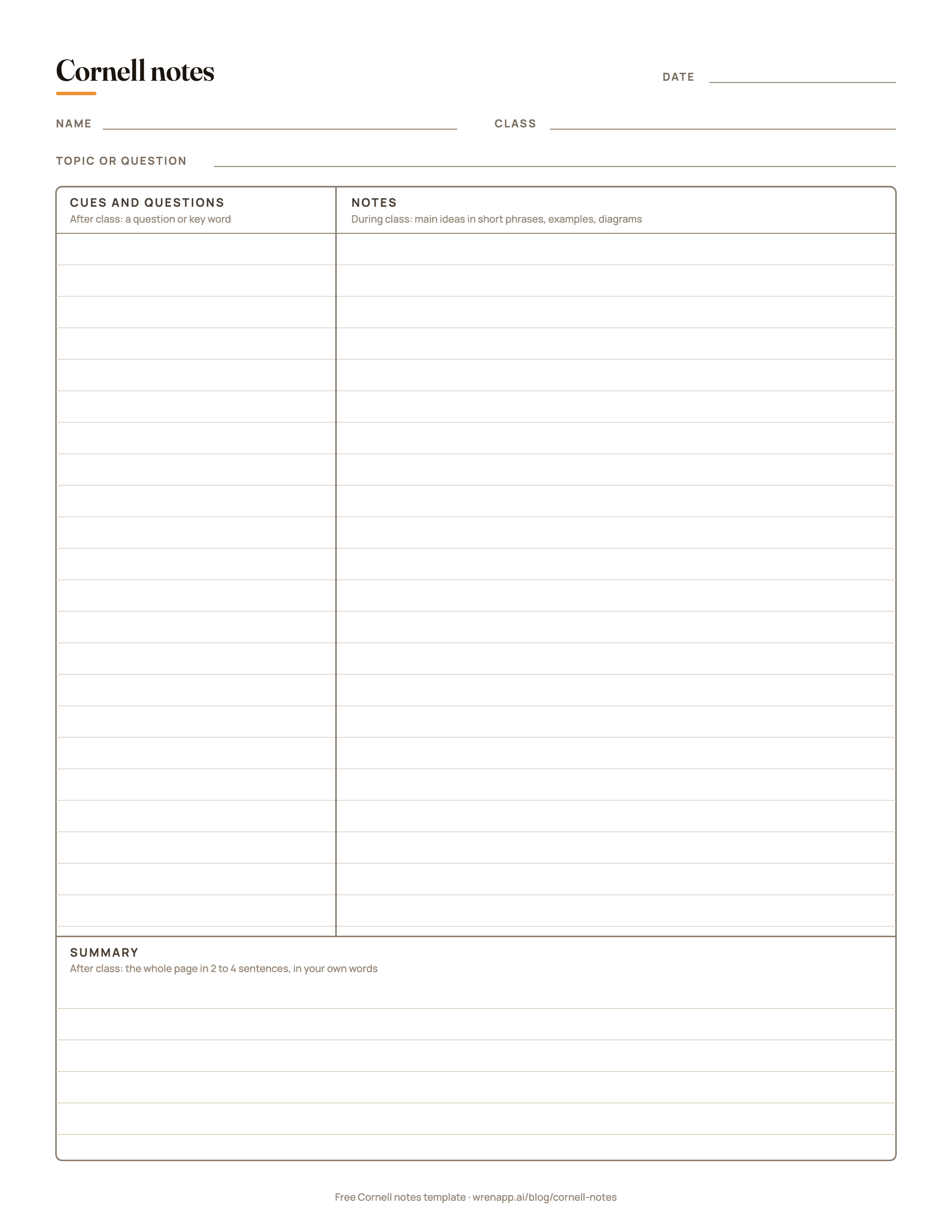
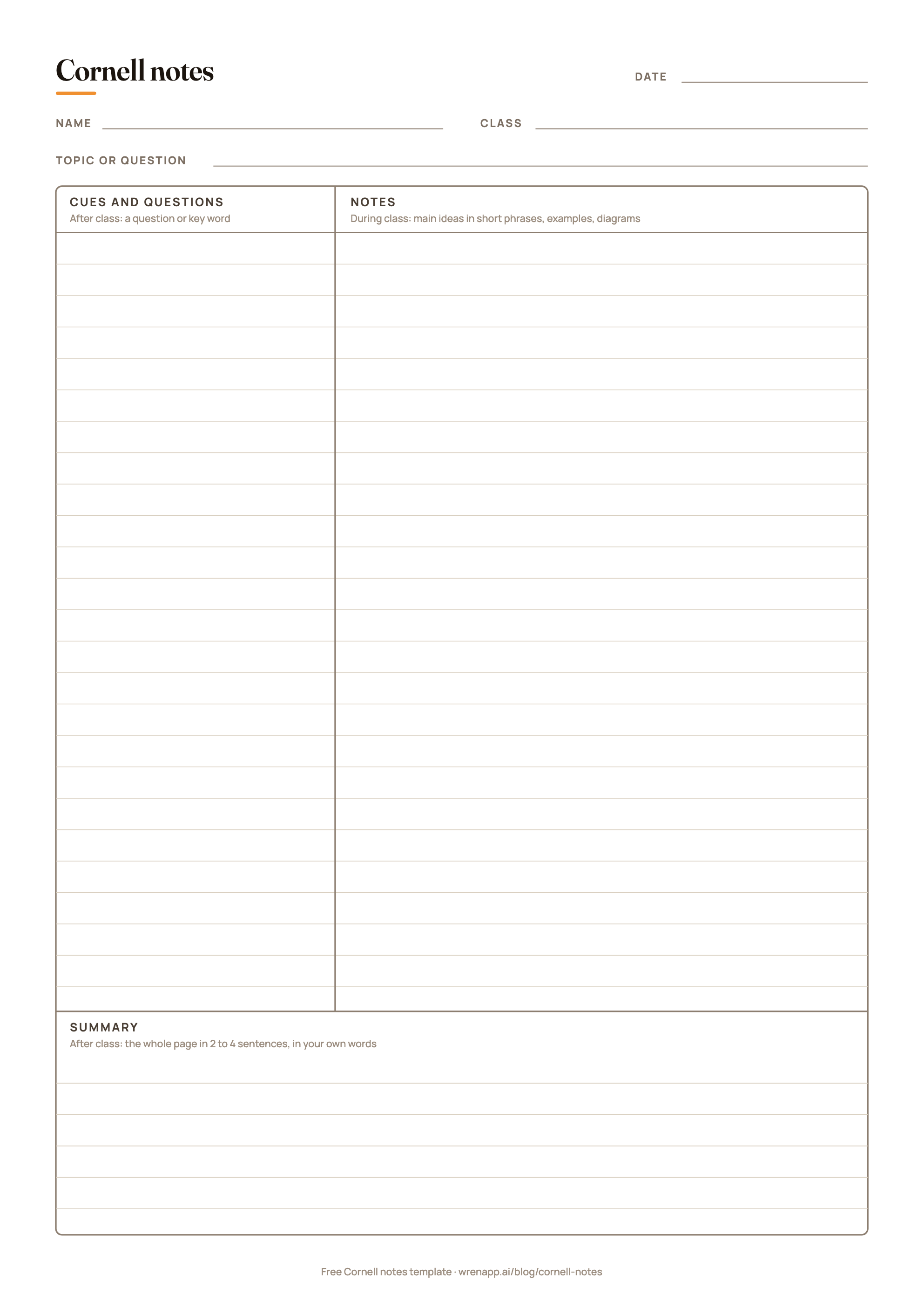
How to use it:
- On paper: print the PDF at 100% (actual size). Print a stack double-sided and keep it in your binder for each class.
- On an iPad: open the PDF in a note app that imports PDFs and write on it with Apple Pencil, or set the PNG as a page template if your app supports custom templates. Duplicate the page for each lecture.
- On a laptop: insert the PNG into a document and type in a text box, or build the table yourself (below), which is easier to type into.
Make a Cornell notes template in Google Docs or Word
If you type your notes, a table works better than an image:
- Insert a table with 2 columns and 3 rows.
- Merge the two cells of the top row. That is your header: class, date and topic.
- Merge the two cells of the bottom row. That is your summary.
- Drag the middle column line so the left column is about a third of the width. Left is cues, right is notes.
- Type your notes in the right cell during class; the row grows as you type. Add cues and the summary afterwards.
Save it as a template (in Google Docs, make a copy of the document for each class) so every lecture starts from the same layout.
When Cornell notes work, and when they don't
| Cornell notes work well for | Pick another method for |
|---|---|
| Lectures with a clear sequence of ideas you will be tested on | Very fast lectures where you can barely keep up: try the sentence method, then rewrite into Cornell format later |
| Textbook chapters and readings you need to recall, not just understand | Comparing several things on the same features: a chart is clearer |
| Subjects with many facts, terms and processes: biology, history, psychology, economics | Brainstorming or seeing how many ideas connect: a mind map shows the links |
| Math and science, if the cues name the type of problem | Notes you will never review: the method's value is in the review |
For how the outline, mind map, charting, sentence, boxing and flow methods work, and which fits each subject, see note-taking methods compared.
Be honest with yourself about the last row. Studies of the Cornell format itself are mixed: some find gains, and others find students write better notes but get the same grades. The layout does not help if the cue column stays empty. Its value is that it makes self-testing the default way to study.
Paper vs digital Cornell notes
- Paper is distraction-free and the template is free. The downside is that you cannot move things around, and adding a forgotten point in the middle of a page is messy.
- A tablet and stylus keeps handwriting but lets you move, resize, recolor and duplicate pages, and keeps every class in one place. Use the PDF template, or a note app with a Cornell page style. For the whole iPad setup, see how to take notes on iPad.
- Typing on a laptop is fastest for lectures that move quickly, but it is easy to slip into transcribing word for word. Use the table above and keep your notes to short phrases.
Whichever you pick, keep the habit that makes the method work: questions on the left, answered with the notes covered. To compare Cornell notes with eight other methods, read note-taking methods: 9 systems and when to use each.
Make it yours in Wren
Wren is the notes app we make, for iPad, iPhone and the web. Four ways to turn this method into Cornell pages that answer back.
Watch a page write itself, then keep it. Save it to your Wren notes and add your own cues and summary next to it.
TRY IT ON A REAL PAGE
Watch Wren's AI write the page. Then make it yours.
Wren's AI writes a study page in real ink, stroke by stroke. Save it to your Wren notes, then keep writing on it, on the web or on iPad.
Wren’s AI writes the page here.
Make it yours.
This is real ink, not a picture. Save it to your Wren notes and it becomes your page.
- Write your own notes next to it
- Erase or move any line, box or diagram
- Ask Wren's AI to explain or extend it
Free to start. One account for Wren on the web and on iPad. More pages to try
Write a cue, then pause. In the Wren iPad app, open a note and choose the Cornell background from the Background options in the toolbar: ruled lines, a cue column and a summary line. Take notes in the right column as usual. When something does not make sense, write the question in the cue column, for example "why does the formula divide by 2a?", and pause. Wren's AI reads the page and answers in ink on the same page: a graph, a formula, a diagram or the next step. Keep it or discard it. On a laptop, open the Wren web app in any browser and sketch the two lines on a whiteboard page; there the ink is not drawn in a handwriting style matched to yours.
PAUSE YOUR PEN
Write. Pause. Wren's AI answers on your page.
No chat window to copy from. Wren reads what is already on the page and adds the next part in ink, right where you are working.
- WriteOn iPad, write with Apple Pencil. On the web, type or sketch on a whiteboard page.
- PauseStop for a moment. Wren reads what is on the page.
- AI answers in inkWren's AI adds the graph, formula, diagram or next step on the same page, in ink you can edit.
Rather ask a question? On iPad, open Study Buddy: it reads the page and can add its answer in ink. On the web, Ask Wren answers questions about the open page.
Turn a lecture note into Cornell notes. In the Wren iPad app, open Agents, choose Lecture Recap, attach the note you took in class and pick Cornell Notes among its outputs. It arrives as a new typed note: each cue question is a heading with its notes beneath, and a summary sits at the end, so you can cover the notes and quiz yourself.
Or ask your AI to start the page. Connect ChatGPT or Claude to Wren once, then paste this:
ASK CHATGPT OR CLAUDE
Ask your AI. It writes in Wren.
Connect Wren to ChatGPT or Claude once. Then ask in the chat, and Wren writes the page into your notebook in ink, ready to edit on the web or on iPad.
Paste this into ChatGPT or Claude
Add a Cornell-notes page on photosynthesis to my Biology note in Wren.
- Connect WrenAdd the Wren plugin in ChatGPT, or add Wren as a custom connector in Claude. Sign in to Wren with your email or Google.
- Paste the promptYour AI finds the note by its title or subject, or starts a new one, and Wren writes the page.
- Keep writingOpen the note in Wren. The page is real ink: write next to it, erase or move any part.
Your AI sees note titles, subjects and page lists, not the writing on your pages. It adds pages and can redo pages Wren wrote; it never changes what you wrote. The ChatGPT plugin is available in the US and Canada.
Your AI writes the page into that note as handwritten-style ink. It can list your notes by title, create notes, add pages, plan notebooks, draw figures and redo pages Wren wrote. It cannot read or change your own writing. Setup for Claude and other MCP apps is in the Wren connector docs; for ChatGPT, see how to install the Wren plugin.
Want to see AI ink on a real page first? Read how Wren adds AI ink to handwritten notes, or open Wren on the web, write a question and pause.
Sources
Checked November 15, 2026.
- Cornell University Learning Strategies Center: The Cornell Note Taking System (origin, Walter Pauk, How to Study in College) and The Cornell Note-taking System steps (record, questions, recite, reflect, review; adapted from Pauk, How to Study in College, 7th edition)
- Pauk, W., and Owens, R. J. Q. (2010). How to Study in College (10th ed.), chapter 10, "The Cornell System: Take Effective Notes". Wadsworth.
- Roediger, H. L., and Karpicke, J. D. (2006). Test-enhanced learning: taking memory tests improves long-term retention. Psychological Science, 17(3), 249 to 255.
Frequently asked questions
What are Cornell notes?
Cornell notes are a way to lay out a page of notes so it doubles as a study sheet. A wide right-hand column holds your notes from class, a narrow left-hand column holds questions or key words you add afterwards, and a box at the bottom holds a short summary of the whole page. To study, you cover the notes and answer the questions in the cue column.
Who invented the Cornell note-taking method?
Walter Pauk, an education professor at Cornell University, developed the system in the 1950s and described it in his book How to Study in College. Cornell's Learning Strategies Center still teaches it.
What are the 5 R's of Cornell notes?
Record, Reduce, Recite, Reflect and Review. Record your notes during class; reduce them to questions or key words in the cue column afterwards; recite by covering the notes and answering the cues out loud; reflect on what the ideas mean and how they connect; and review all your notes every week.
How do you set up a Cornell notes page?
Draw a vertical line about 2.5 inches (6 cm) from the left edge for the cue column, and a horizontal line about 2 inches (5 cm) from the bottom for the summary. Add the class, date and topic at the top. Or print the free Letter or A4 template on this page, which already has the lines and labels.
Are Cornell notes effective?
Studies of the Cornell format itself are mixed: some find gains, others find better notes but no difference in grades. What the method does well is build self-testing into the page, and testing yourself on material is one of the best-supported ways to remember it. Cornell notes help most when you actually use the cue column to quiz yourself.
Can you take Cornell notes on an iPad?
Yes. Import the free PDF template into any iPad note app that opens PDFs and write on it with Apple Pencil, or use an app with a Cornell page style. The Wren iPad app has a Cornell background in its page background options, and you can write a question in the cue column and pause for Wren's AI to answer in ink on the page.
Do Cornell notes work for math?
Yes, with a small change: put the worked example in the notes column, and in the cue column write the type of problem and when to use the method, for example "Quadratic that won't factor: which formula?". The summary is the method in one or two sentences. Then cover the notes and redo the example from the cue alone.